For a freelancer or remote worker, a house move is not only a change of address. The spare bedroom that doubles as an office holds the tools you earn a living with, and a cracked monitor or a missing power lead can cost you days of work. A little planning keeps your home office running right up to moving day and gets it working again quickly at the other end.
Take Stock of Your Kit Before Anything Goes in a Box
Start with a simple inventory of everything that makes your working day possible. That usually means a laptop or desktop tower, one or two monitors, a docking station, keyboard, mouse, webcam, headset, printer or scanner, router and any external drives. Note which cables belong to which device and photograph the back of each item while it is still connected. Those photos save a surprising amount of head-scratching when you are rebuilding the setup in a new room.
It is also a good moment to clear out. Old chargers, a printer that barely works and cables nobody can identify do not need to travel.
Protect Your Data First
Hardware can be replaced; client files and years of work often cannot. Before you disconnect anything, make a full backup of every machine to cloud storage, and if you can, a second copy on an external drive that travels with you in the car rather than in the van. Check that the backup actually opens on another device. If you use a desktop with a traditional hard drive, shut it down properly rather than putting it to sleep, so nothing is spinning when it is lifted.
Packing Screens, Towers and Printers
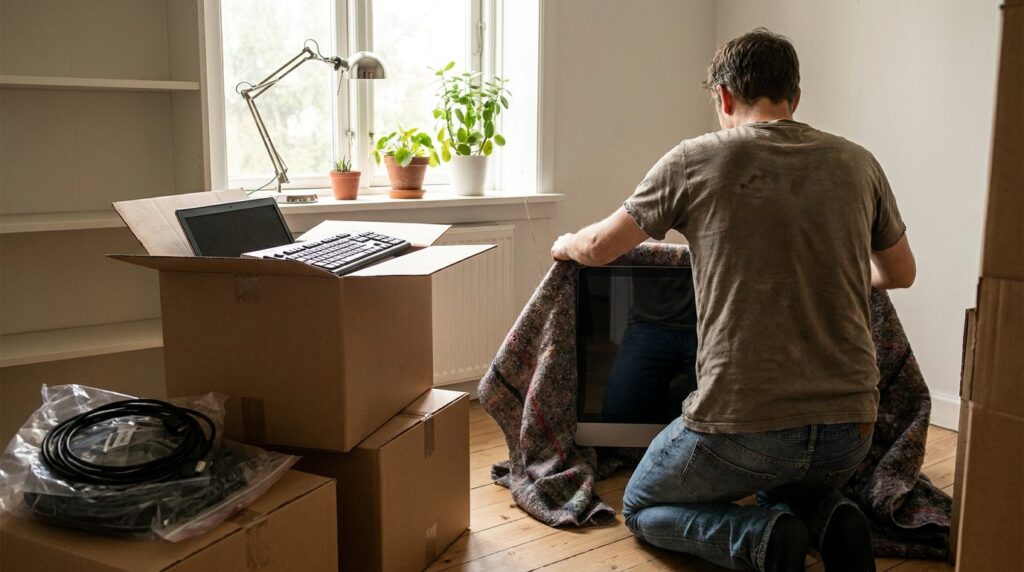
Original boxes are ideal for monitors and printers, so it is worth digging them out of the loft if you kept them. Otherwise, wrap screens in soft blankets or bubble wrap, keep them upright and never stack anything on top. Remove ink cartridges or toner from printers and seal them in bags, and tape down any loose trays or lids. Desktop towers travel best upright and well padded on all sides.
Keep each device’s cables in a labelled bag taped to the item itself, or in one clearly marked box. Mark that box “office – unpack first” so it does not vanish among kitchenware in the new house.
Plan Around Your Work Calendar
Remote workers rarely get a true day off for a move. Look at your diary and choose a date that avoids deadlines, important calls or the end of a billing period. Tell regular clients you will be offline for a day or two. Arrange broadband installation at the new address as early as possible, because a new line can take longer than expected, and have a backup plan such as a mobile hotspot or a nearby café or library.
In Bradford, plenty of people work from terraced houses, converted mill flats and newer homes out towards Shipley and Bingley, and many of these have narrow staircases or awkward landings. Measuring your desk and checking how it will reach a box room or attic office can save a frustrating moment on the day.
Getting Help From a Local Remover
If you would rather not carry fragile screens and heavy towers yourself, a removal firm can handle them alongside the rest of the household. The Transporter Co, a family-run company based in Bradford, offers packing services and careful loading, transport and unloading, with packing and unpacking agreed in advance. For anyone weighing up IT equipment removals in Bradford, it is sensible to mention your home office during the initial consultation so the team knows which boxes are delicate and where in the new house they should go.
Whoever moves your kit, be clear about what you want to transport personally. Many home workers prefer to keep their laptop, backup drive and passwords with them throughout the day.
Rebuilding the Office at the Other End
Set up the desk before you unpack anything else in that room, then work outwards: power and broadband first, then the main computer, then monitors and peripherals. Your photographs of the old cabling will guide you. Test video calls, printing and file access before your first working day, rather than discovering a problem with a client waiting.
A home office move rewards preparation more than effort. Back up your data, pack the delicate items carefully, protect your working week and give your desk priority at the new address, and you can be back at work with very little disruption.